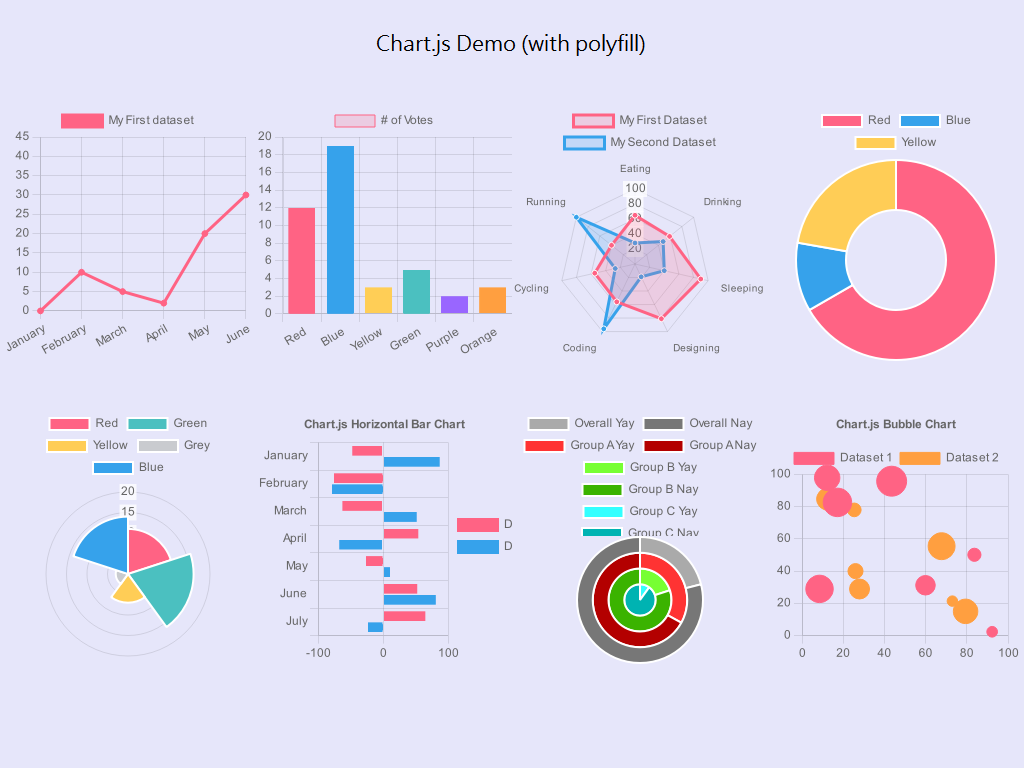
توجه:
برای کنترل ابعاد و اندازه حتما از کدهای css استفاده کنید.
لورم ایپسوم متن ساختگی با تولید سادگی نامفهوم از صنعت چاپ و با استفاده از طراحان گرافیک است.
منبع : https://www.chartjs.org/docs
Chart.defaults.global = {
    // Boolean - Whether to animate the chart
    animation: true,

    // Number - Number of animation steps
    animationSteps: 60,

    // String - Animation easing effect
    // Possible effects are:
    // [easeInOutQuart, linear, easeOutBounce, easeInBack, easeInOutQuad,
    //  easeOutQuart, easeOutQuad, easeInOutBounce, easeOutSine, easeInOutCubic,
    //  easeInExpo, easeInOutBack, easeInCirc, easeInOutElastic, easeOutBack,
    //  easeInQuad, easeInOutExpo, easeInQuart, easeOutQuint, easeInOutCirc,
    //  easeInSine, easeOutExpo, easeOutCirc, easeOutCubic, easeInQuint,
    //  easeInElastic, easeInOutSine, easeInOutQuint, easeInBounce,
    //  easeOutElastic, easeInCubic]
    animationEasing: "easeOutQuart",

    // Boolean - If we should show the scale at all
    showScale: true,

    // Boolean - If we want to override with a hard coded scale
    scaleOverride: false,

    // ** Required if scaleOverride is true **
    // Number - The number of steps in a hard coded scale
    scaleSteps: null,
    // Number - The value jump in the hard coded scale
    scaleStepWidth: null,
    // Number - The scale starting value
    scaleStartValue: null,

    // String - Colour of the scale line
    scaleLineColor: "rgba(0,0,0,.1)",

    // Number - Pixel width of the scale line
    scaleLineWidth: 1,

    // Boolean - Whether to show labels on the scale
    scaleShowLabels: true,

    // Interpolated JS string - can access value
    scaleLabel: "<%=value%>",

    // Boolean - Whether the scale should stick to integers, not floats even if drawing space is there
    scaleIntegersOnly: true,

    // Boolean - Whether the scale should start at zero, or an order of magnitude down from the lowest value
    scaleBeginAtZero: false,

    // String - Scale label font declaration for the scale label
    scaleFontFamily: "'Helvetica Neue', 'Helvetica', 'Arial', sans-serif",

    // Number - Scale label font size in pixels
    scaleFontSize: 12,

    // String - Scale label font weight style
    scaleFontStyle: "normal",

    // String - Scale label font colour
    scaleFontColor: "#666",

    // Boolean - whether or not the chart should be responsive and resize when the browser does.
    responsive: false,

    // Boolean - whether to maintain the starting aspect ratio or not when responsive, if set to false, will take up entire container
    maintainAspectRatio: true,

    // Boolean - Determines whether to draw tooltips on the canvas or not
    showTooltips: true,

    // Function - Determines whether to execute the customTooltips function instead of drawing the built in tooltips (See [Advanced - External Tooltips](#advanced-usage-custom-tooltips))
    customTooltips: false,

    // Array - Array of string names to attach tooltip events
    tooltipEvents: ["mousemove", "touchstart", "touchmove"],

    // String - Tooltip background colour
    tooltipFillColor: "rgba(0,0,0,0.8)",

    // String - Tooltip label font declaration for the scale label
    tooltipFontFamily: "'Helvetica Neue', 'Helvetica', 'Arial', sans-serif",

    // Number - Tooltip label font size in pixels
    tooltipFontSize: 14,

    // String - Tooltip font weight style
    tooltipFontStyle: "normal",

    // String - Tooltip label font colour
    tooltipFontColor: "#fff",

    // String - Tooltip title font declaration for the scale label
    tooltipTitleFontFamily: "'Helvetica Neue', 'Helvetica', 'Arial', sans-serif",

    // Number - Tooltip title font size in pixels
    tooltipTitleFontSize: 14,

    // String - Tooltip title font weight style
    tooltipTitleFontStyle: "bold",

    // String - Tooltip title font colour
    tooltipTitleFontColor: "#fff",

    // Number - pixel width of padding around tooltip text
    tooltipYPadding: 6,

    // Number - pixel width of padding around tooltip text
    tooltipXPadding: 6,

    // Number - Size of the caret on the tooltip
    tooltipCaretSize: 8,

    // Number - Pixel radius of the tooltip border
    tooltipCornerRadius: 6,

    // Number - Pixel offset from point x to tooltip edge
    tooltipXOffset: 10,

    // String - Template string for single tooltips
    tooltipTemplate: "<%if (label){%><%=label%>: <%}%><%= value %>",

    // String - Template string for multiple tooltips
    multiTooltipTemplate: "<%= value %>",

    // Function - Will fire on animation progression.
    onAnimationProgress: function(){},

    // Function - Will fire on animation completion.
    onAnimationComplete: function(){}
}منبع: https://github.com/flot/flot/blob/master/README.md
جهت راهاندازی اولیه از کد زیر استفاده کنید:
<div id="placeholder"></div><div id="placeholder" style="width:600px;height:300px"></div>همچنین کدهای زیر را در تگ اسکریپت اضافه کنید:
$.plot($("#placeholder"), data, options);$.plot($("#placeholder"), [ [[0, 0], [1, 1]] ], { yaxis: { max: 1 } });morris.js و وابستگیهای آن را (jQuery & Raphaël) به صفحه خود اضافه کنید.
1 <link rel="stylesheet" href="//cdnjs.cloudflare.com/ajax/libs/morris.js/0.5.1/morris.css">
 <script src="//ajax.googleapis.com/ajax/libs/jquery/1.9.0/jquery.min.js"></script>
 <script src="//cdnjs.cloudflare.com/ajax/libs/raphael/2.1.0/raphael-min.js"></script>
<script src="//cdnjs.cloudflare.com/ajax/libs/morris.js/0.5.1/morris.min.js"></script> برای شروع یک <div> به صفحه خود اضافه کنید.
<div id="myfirstchart" style="height: 250px;"></div>برای کنترل ابعاد و اندازه حتما از کدهای css استفاده کنید.
اکنون در تگ <script> کد زیر را استفاده کنید:
new Morris.Line({
  // ID of the element in which to draw the chart.
  element: 'myfirstchart',
  // Chart data records -- each entry in this array corresponds to a point on
  // the chart.
  data: [
    { year: '2008', value: 20 },
    { year: '2009', value: 10 },
    { year: '2010', value: 5 },
    { year: '2011', value: 5 },
    { year: '2012', value: 20 }
  ],
  // The name of the data record attribute that contains x-values.
  xkey: 'year',
  // A list of names of data record attributes that contain y-values.
  ykeys: ['value'],
  // Labels for the ykeys -- will be displayed when you hover over the
  // chart.
  labels: ['Value']
});لورم ایپسوم متن ساختگی با تولید سادگی نامفهوم از صنعت چاپ و با استفاده از طراحان گرافیک است. چاپگرها و متون بلکه روزنامه و مجله در ستون و سطرآنچنان که لازم است و برای شرایط فعلی تکنولوژی مورد نیاز و کاربردهای متنوع با هدف بهبود ابزارهای کاربردی می باشد. کتابهای زیادی در شصت و سه درصد گذشته، حال و آینده شناخت فراوان جامعه و متخصصان را می طلبد تا با نرم افزارها شناخت بیشتری را برای طراحان رایانه ای علی الخصوص طراحان خلاقی و فرهنگ پیشرو در زبان فارسی ایجاد کرد. در این صورت می توان امید داشت که تمام و دشواری موجود در ارائه راهکارها و شرایط سخت تایپ به پایان رسد وزمان مورد نیاز شامل حروفچینی دستاوردهای اصلی و جوابگوی سوالات پیوسته اهل دنیای موجود طراحی اساسا مورد استفاده قرار گیرد.
لورم ایپسوم متن ساختگی با تولید سادگی نامفهوم از صنعت چاپ و با استفاده از طراحان گرافیک است. چاپگرها و متون بلکه روزنامه و مجله در ستون و سطرآنچنان که لازم است و برای شرایط فعلی تکنولوژی مورد نیاز و کاربردهای متنوع با هدف بهبود ابزارهای کاربردی می باشد. کتابهای زیادی در شصت و سه درصد گذشته، حال و آینده شناخت فراوان جامعه و متخصصان را می طلبد تا با نرم افزارها شناخت بیشتری را برای طراحان رایانه ای علی الخصوص طراحان خلاقی و فرهنگ پیشرو در زبان فارسی ایجاد کرد. در این صورت می توان امید داشت که تمام و دشواری موجود در ارائه راهکارها و شرایط سخت تایپ به پایان رسد وزمان مورد نیاز شامل حروفچینی دستاوردهای اصلی و جوابگوی سوالات پیوسته اهل دنیای موجود طراحی اساسا مورد استفاده قرار گیرد.
لورم ایپسوم متن ساختگی با تولید سادگی نامفهوم از صنعت چاپ، و با استفاده از طراحان گرافیک است، چاپگرها و متون بلکه روزنامه و مجله در ستون و سطرآنچنان که لازم است، و برای شرایط فعلی تکنولوژی مورد نیاز، و کاربردهای متنوع با هدف بهبود ابزارهای کاربردی می باشد، کتابهای زیادی در شصت و سه درصد گذشته حال و آینده، شناخت فراوان جامعه و متخصصان را می طلبد، تا با نرم افزارها شناخت بیشتری را برای طراحان رایانه ای علی الخصوص طراحان خلاقی، و فرهنگ پیشرو در زبان فارسی ایجاد کرد، در این صورت می توان امید داشت که تمام و دشواری موجود در ارائه راهکارها، و شرایط سخت تایپ به پایان رسد و زمان مورد نیاز شامل حروفچینی دستاوردهای اصلی، و جوابگوی سوالات پیوسته اهل دنیای موجود طراحی اساسا مورد استفاده قرار گیرد.